
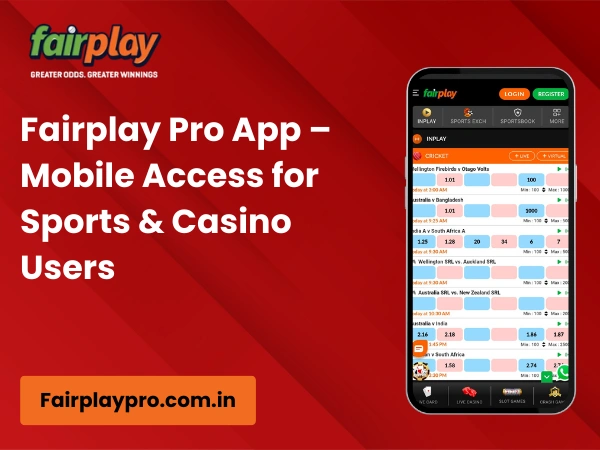
FairplayPro App – Download the Mobile Betting Platform
The FairplayPro App is a mobile betting platform that lets users access sports betting and live casino games on their smartphones. Designed for Indian users, it offers a fast, mobile-friendly experience for browsing sports markets, tracking live matches, and playing casino games.
The FairplayPro APK is available for Android devices, while iPhone users can access the platform through Safari or Chrome without installing an app. The platform supports cricket, exchange betting, and live casino games with smooth performance across mobile devices.
With a focus on speed, accessibility, and convenience, the FairplayPro App provides a unified mobile experience for sports betting and casino gaming on Android and iOS devices.
📱 Android APK Available
Android users can access FairplayPro through the dedicated APK, providing a mobile experience optimised for sports betting, live casino games, and exchange betting on supported devices.
🍎 Seamless iPhone Access
FairplayPro is fully accessible on iPhone through Safari and Chrome, allowing users to enjoy the platform without downloading a separate iOS application.
🏏 Sports & Live Casino Together
Access cricket, IPL, football, tennis, kabaddi, basketball, esports, live betting, and a wide range of casino games—including Teen Patti, Andar Bahar, Roulette, Blackjack, Baccarat, Dragon Tiger, Aviator, Slots, Crash Games, and Live Casino—from one connected mobile platform.
⚡ Mobile-First Performance
The FairplayPro App is designed with responsive navigation, organised layouts, and device compatibility in mind, helping users enjoy a smooth and consistent experience across Android smartphones, iPhones, tablets, and other supported mobile devices.
What is the FairplayPro App?
The FairplayPro App is the mobile version of the FairplayPro platform, designed to provide a seamless sports betting and live casino experience on smartphones and tablets. Built with a mobile-first approach, it enables users to explore sports markets, exchange betting, and casino entertainment through a responsive interface that performs consistently across supported devices.
For Android users, FairplayPro is available as a dedicated APK, offering a mobile experience optimised for speed, navigation, and usability. iPhone users can access the same platform directly through Safari or Chrome, eliminating the need for a separate iOS application while maintaining a consistent browsing experience.
Rather than separating sports betting and casino gaming into different platforms, the FairplayPro App brings everything together within a single account. Users can switch between cricket, football, tennis, kabaddi, basketball, esports, exchange betting, and live casino games—including Teen Patti, Andar Bahar, Roulette, Blackjack, Baccarat, Dragon Tiger, Slots, Aviator, Crash Games, and Live Casino—from one connected mobile environment.
Designed for Indian users, the FairplayPro App combines responsive performance, intuitive navigation, and cross-device compatibility to create a convenient mobile platform for sports betting and casino entertainment. Whether accessed through the Android APK or an iPhone browser, the platform is structured to deliver a smooth and consistent experience wherever users choose to play.
FairplayPro App at a Glance
The table below provides a quick overview of the FairplayPro App, including supported devices, platform compatibility, available betting categories, and key mobile features. It offers a concise summary for users who want to understand the mobile platform before exploring its features in more detail.
| Feature | Details |
|---|---|
| Platform Type | Mobile Sports Betting & Live Casino Platform |
| Android Support | ✅ Supported via FairplayPro APK |
| iPhone Support | ✅ Supported through Safari & Chrome (No dedicated iOS app) |
| APK Available | Yes |
| Mobile Browser Support | Safari, Google Chrome and other modern mobile browsers |
| Sports Available | Cricket, IPL, Football, Tennis, Kabaddi, Basketball, Esports and more |
| Casino Games | Teen Patti, Andar Bahar, Roulette, Blackjack, Baccarat, Dragon Tiger, Slots, Aviator, Crash Games & Live Casino |
| Exchange Betting | Available on supported sports markets |
| Live Betting | Available for selected live sporting events |
| Device Compatibility | Android Smartphones, iPhone, Tablets & Mobile Browsers |
| App Updates | Updated periodically to improve performance, compatibility and user experience |
| Minimum Android Version | Android 7.0 (Nougat) or later* |
| Mobile Experience | Responsive, mobile-first interface with unified access to sports betting and live casino |
| Account Access | Single account for Sports Betting & Live Casino |
*The minimum Android version may vary depending on future app updates and device compatibility.
Android APK Experience on Fairplaypro
The FairplayPro APK is designed to provide Android users with a smooth and responsive mobile betting experience. Built for smartphones and tablets, the APK offers convenient access to sports betting, exchange markets, and live casino games through an interface that is optimised for mobile navigation and everyday use.
Unlike a desktop experience, the Android version is designed around touch-friendly controls, organised menus, and responsive layouts that make it easy to switch between sports, live betting, and casino sections while maintaining consistent performance across supported Android devices.
📱 Optimised for Android Devices
The FairplayPro APK is compatible with a wide range of Android smartphones and tablets, allowing users to enjoy the platform on different screen sizes without compromising usability. The responsive interface automatically adapts to supported devices, helping deliver a consistent mobile experience.
⚡ Smooth Mobile Performance
The Android platform is designed to provide fast navigation, responsive menus, and stable performance throughout the user journey. Whether browsing cricket markets, following live sporting events, or exploring casino games, users can move between different sections with minimal effort.
🏏 One Mobile Platform for Sports & Casino
The FairplayPro APK brings sports betting and live casino entertainment together within a single mobile platform. Users can access cricket, football, tennis, kabaddi, basketball, esports, exchange betting, and a wide selection of casino games without switching between multiple applications or accounts.
📲 Built for Everyday Mobile Use
Designed with Indian mobile users in mind, the FairplayPro APK delivers a mobile-first experience that prioritises accessibility, intuitive navigation, and cross-device compatibility. This allows users to enjoy the platform comfortably whether they are at home or on the move.
Fairplay App for Android (APK Download)
- Visit the official Fairplaypro website
Open the Fairplaypro official site on your Android device and tap Download Fairplaypro App from the homepage or menu. - Download the APK file
The Fairplaypro APK will start downloading automatically on your phone. - Allow installation if prompted
If Android blocks the install, go to
Settings → Security/Privacy → Install unknown apps → Allow from this browser
(Enable it only for the browser you used.) - Install the app
Open the downloaded APK file and tap Install. - Launch and login
Open the Fairplaypro app, log in using your ID, and start using the platform.
iPhone Experience on Fairplaypro
Unlike Android devices, FairplayPro does not require a dedicated iOS application. iPhone users can access the platform directly through their preferred mobile browser, making it easy to enjoy sports betting and live casino games without downloading or installing an app. This browser-based approach ensures users always access the latest version of the platform while maintaining a consistent mobile experience.
🍎 Access Through Safari or Chrome
FairplayPro is fully compatible with Safari and Google Chrome on iPhone, allowing users to explore sports betting, exchange markets, and live casino games directly from their browser. There’s no need to install an APK or search for an iOS app—simply open the platform in a supported browser and enjoy the same core features available on other devices.
📱 Optimised for iPhone Browsing
The platform is built with a responsive design that automatically adapts to different iPhone screen sizes. Menus, sports markets, live betting sections, and casino games are organised for smooth navigation, helping users enjoy a fast, consistent, and mobile-friendly experience across supported iPhone models.
Fairplaypro Mobile Platform Features
The FairplayPro App is designed to deliver a complete mobile experience by bringing together sports betting, live casino entertainment, and essential account features within one responsive platform. Rather than focusing on individual games or betting guides, the app is built to provide convenient access, intuitive navigation, and a consistent user experience across supported mobile devices.
🏏 Exchange Betting
Access exchange-style betting across supported sports through a mobile interface designed for easy market browsing and smooth navigation. Users can explore available betting markets and switch between different sporting events without leaving the app.
⚡ Live Betting
Follow live sporting events and access in-play betting markets through a responsive mobile experience. The platform is designed to help users navigate live events efficiently while keeping important information readily accessible.
🎮 Live Casino Experience
The FairplayPro App provides mobile access to Live Casino entertainment, allowing users to explore popular table games and live dealer experiences through the same unified platform used for sports betting.
👤 Simple Account Management
Users can manage their account from one place, making it easier to review account information, monitor activity, complete verification requirements, and access platform features through a single mobile interface.
🔔 Platform Updates & Notifications
The platform is designed to keep users informed about important account and platform updates when applicable. Notifications and announcements help users stay aware of relevant information without interrupting their overall experience.
📱 Responsive User Interface
Built with a mobile-first approach, the FairplayPro App features a responsive interface that adapts to different screen sizes. Organised navigation, touch-friendly controls, and consistent layouts help create a smooth experience across Android smartphones, iPhones, tablets, and other supported devices.
FairplayPro Mobile Performance
The FairplayPro App is designed to deliver a smooth and consistent experience across supported mobile devices. Whether users are browsing sports markets, following live events, or exploring live casino games, the platform focuses on responsive navigation, organised layouts, and reliable performance to help users move through different sections with ease.
Built with a mobile-first approach, the interface automatically adapts to various screen sizes, providing a consistent experience on Android smartphones, iPhones, and tablets. The platform prioritises usability by presenting important features through a clean layout that is easy to navigate without unnecessary complexity.
⚡ Responsive Performance
The mobile platform is optimised to provide fast page loading, smooth transitions between sections, and responsive controls that help users navigate the platform efficiently across supported devices.
📱 Mobile-Friendly Interface
The FairplayPro App features a clean, touch-friendly interface designed for comfortable browsing on smaller screens. Menus, navigation elements, and platform sections are organised to help users quickly locate sports markets, live betting, and casino categories.
🧭 Simple & Intuitive Navigation
Sports betting, exchange betting, live casino games, and account features are arranged in a structured layout, making it easy for users to move between different areas of the platform without unnecessary steps.
🛡️ Stable Cross-Device Experience
Whether accessed through the Android APK or an iPhone browser, the platform is designed to maintain a consistent experience across supported devices. Responsive layouts and broad device compatibility help ensure reliable performance for users with different smartphones and screen sizes.
By combining responsive performance, intuitive navigation, and a mobile-first interface, the FairplayPro App provides a dependable platform for users who prefer accessing sports betting and live casino entertainment on their mobile devices.
Device Compatibility
The FairplayPro App is designed to provide a consistent experience across a variety of devices, allowing users to access the platform in the way that best suits their preferences. Whether using an Android smartphone, an iPhone, a tablet, or a desktop browser, the platform is optimised to deliver responsive navigation and reliable performance without requiring different accounts or separate platform versions.
| Device / Platform | Support | Access Method | User Experience |
|---|---|---|---|
| 📱 Android Smartphones | ✅ Supported | FairplayPro APK | Fully optimised mobile experience with responsive navigation and access to sports betting and live casino features. |
| 🍎 iPhone (iOS) | ✅ Supported | Safari or Google Chrome | No dedicated iOS app required. Access the platform directly through supported mobile browsers. |
| 📲 Android & iPad Tablets | ✅ Supported | APK (Android) / Browser (iPad) | Larger screen layouts provide comfortable navigation and an enhanced browsing experience. |
| 💻 Desktop & Laptop | ✅ Supported | Google Chrome, Microsoft Edge, Safari, Firefox and other modern browsers | Full desktop interface with access to the complete FairplayPro platform. |
| 🌐 Mobile Browser Support | ✅ Supported | Safari, Google Chrome and other modern mobile browsers | Responsive browser-based experience without requiring additional software on supported devices. |
FairplayPro is built with a responsive design that automatically adjusts to different screen sizes and operating systems. This cross-device compatibility allows users to enjoy a consistent platform experience whether they are accessing sports betting and live casino games from a smartphone, tablet, or desktop computer.
FairplayPro App Mobile Security
Using a secure mobile device and following basic account safety practices can help create a safer platform experience. The FairplayPro App encourages users to protect their account information, complete the required verification process, and access the platform only through official channels. The checklist below highlights the key security practices every user should follow.
✅ Mobile Security Checklist
Complete KYC Verification
- Complete the required KYC verification to help confirm your identity.
- Ensure the information submitted during verification is accurate and up to date.
- Verified accounts help support a safer and more reliable platform experience.
Protect Your Account
- Use a strong and unique password for your FairplayPro account.
- Keep your login credentials confidential at all times.
- Avoid accessing your account on shared or public devices whenever possible.
Download from Official Sources
- Use the official FairplayPro APK for Android devices.
- iPhone users should access the platform through supported browsers such as Safari or Google Chrome.
- Avoid downloading applications or updates from unofficial websites or unknown sources.
Protect Your Privacy
- Never share your password, OTP, or banking PIN with anyone.
- Review your account information regularly and report any unusual activity through official support channels.
- Always communicate with FairplayPro through verified customer support channels.
Use the Platform Responsibly
- FairplayPro is intended for users aged 18 years or older.
- Participate responsibly and stay within your personal limits.
- If you need additional guidance, review the platform's Responsible Gaming resources for available support options.
Following these simple security practices can help protect your account, safeguard your personal information, and create a safer mobile experience while using the FairplayPro App.
Tips for a Better Mobile Experience
Getting the best experience from the FairplayPro App doesn’t depend only on the device you use. A few simple practices can help improve performance, maintain account security, and make navigation smoother while accessing sports betting and live casino features on your smartphone or tablet.
✅ Mobile Experience Checklist
🌐 Use a Stable Internet Connection
- ✔ Connect to a reliable Wi-Fi network or a stable mobile data connection.
- ✔ A consistent internet connection helps pages load smoothly and reduces interruptions while browsing the platform.
🔄 Keep Your Browser or App Updated
- ✔ Android users should use the latest available version of the FairplayPro APK.
- ✔ iPhone users should keep Safari or Google Chrome updated for the best compatibility and performance.
📲 Use the Official FairplayPro APK
- ✔ Download the Android APK only from the official FairplayPro website.
- ✔ Avoid third-party downloads to help ensure you are using the latest and intended version of the platform.
🔋 Maintain Sufficient Battery Power
- ✔ Keep your device adequately charged before using the platform for extended periods.
- ✔ Low battery or power-saving modes may affect overall device performance and responsiveness.
🛡️ Use a Secure & Updated Device
- ✔ Install the latest operating system updates available for your device.
- ✔ Protect your smartphone or tablet with a screen lock, PIN, password, or biometric authentication.
- ✔ Avoid using public or unsecured devices when accessing your FairplayPro account.
Following these practical tips can help users enjoy a smoother, safer, and more reliable mobile experience while accessing the FairplayPro App across supported Android and iPhone devices.
FairplayPro App for Indian Users
The FairplayPro App is designed with the preferences of Indian mobile users in mind. From cricket-focused sports coverage to a mobile-first interface, the platform is built to support the way users in India access online sports betting and live casino entertainment. Whether using an Android smartphone or an iPhone, the app delivers a responsive experience tailored to everyday mobile browsing.
Built for Cricket & IPL Fans
Cricket remains the most popular sport on the platform, with extensive coverage of the Indian Premier League (IPL), international matches, T20 leagues, One Day Internationals, and Test cricket. The mobile interface makes it easy for users to browse cricket markets, follow live fixtures, and switch between different sporting events.
Designed for Indian Users
The platform is structured around the needs of Indian users by supporting INR (Indian Rupee) as the primary account currency and delivering a mobile experience that aligns with local browsing habits. From familiar navigation to region-focused sports coverage, the app is built to feel intuitive and accessible.
Mobile-First Experience
Recognising that most users in India access online platforms through smartphones, FairplayPro adopts a mobile-first design. Responsive layouts, touch-friendly controls, and organised menus help users enjoy a smooth experience across different screen sizes without compromising usability.
Optimised for Android Users
Android remains the most widely used mobile operating system in India, and the FairplayPro APK is designed to provide a consistent experience across a broad range of Android smartphones and tablets. Combined with browser support for iPhone users, the platform ensures accessibility across the devices most commonly used by Indian audiences.
By combining cricket-first sports coverage, INR compatibility, a mobile-first interface, and broad Android support, the FairplayPro App delivers a mobile experience tailored to the preferences and browsing habits of users across India.
Fairplaypro App Security & Privacy
The Fairplay app is built with a strong focus on security and user privacy to ensure safe and controlled mobile access. From login handling to data transmission, the app follows structured safeguards designed to protect user information and account activity.
Secure App Access
- Encrypted connections help protect data exchanged between the app and servers
- Secure login handling reduces the risk of unauthorised access
- Session controls allow users to manage active logins
User Privacy Protection
- Personal details remain confidential and are accessible only to the account holder
- App activity is linked to a single verified account
- No sensitive information is shared without user consent
Safe App Usage Guidelines
To maintain account security, users are advised to:
- Download the Fairplaypro app only from official sources
- Avoid sharing Fairplay login credentials or OTPs
- Enable device-level security such as screen locks or biometrics
- Log out from shared or public devices
Privacy-First Mobile Experience
The Fairplaypro app is designed to collect only necessary information required for functionality and security. Clear access controls and visible account activity help users stay informed and in control of their mobile usage.
By combining secure technology practices with user awareness, Fairplaypro app security and privacy supports a safer and more reliable mobile experience for Indian users.
Using the Fairplaypro App Responsibly
The Fairplaypro app is intended for users aged 18 years and above. Mobile access makes participation convenient, but responsible usage remains important.
Fairplaypro encourages:
- Setting personal usage limits
- Taking breaks when needed
- Using self-control tools where available
- Treating platform access as entertainment
Mobile convenience should always be balanced with informed and controlled use.
Fairplaypro App vs Mobile Browser
| Feature | Fairplaypro App | Mobile Browser |
|---|---|---|
| Loading Speed | Faster | Depends on browser |
| Navigation | App-optimised | Web-based |
| Live Updates | More stable | May refresh |
| Session Control | Enhanced | Limited |
Users who prefer smoother performance often choose the Fairplay Pro app over browser access.
Frequently Asked Questions – Fairplaypro App
What is the FairplayPro App?
The FairplayPro App is the mobile version of the FairplayPro platform, allowing users to access sports betting, exchange betting, and live casino games from supported Android devices and iPhone browsers through a mobile-optimised interface.
Is the FairplayPro APK available?
Yes. FairplayPro offers a dedicated APK for Android users, providing a mobile experience designed for smartphones and tablets.
Can iPhone users access FairplayPro?
Yes. iPhone users can access FairplayPro directly through Safari or Google Chrome. A separate iOS application is not required, as the platform is fully optimised for mobile browsers.
Does the FairplayPro App support sports betting?
Yes. The FairplayPro App provides access to a wide range of sports betting markets, including cricket, football, tennis, kabaddi, basketball, esports, exchange betting, and selected live betting events through one mobile platform.
Can I play live casino games on the FairplayPro App?
Yes. The mobile platform allows users to access Live Casino along with games such as Teen Patti, Andar Bahar, Roulette, Blackjack, Baccarat, Dragon Tiger, Aviator, Slots, Crash Games, and other supported casino titles.
Is the FairplayPro App mobile friendly?
Yes. FairplayPro is designed with a mobile-first approach, featuring responsive layouts, touch-friendly navigation, and compatibility across Android smartphones, iPhones, and tablets for a consistent user experience.
Does the FairplayPro App work on tablets?
Yes. The platform is compatible with supported Android tablets and iPads, providing a responsive interface that adapts to larger screen sizes while maintaining the same core mobile experience.
How do I keep the FairplayPro App updated?
Android users should download the latest APK version from the official FairplayPro website whenever a new version is released. iPhone users automatically access the latest platform version when using supported browsers such as Safari or Google Chrome.
Take FairplayPro Anywhere
Whether you’re following live cricket, exploring exchange betting markets, or enjoying live casino games, the FairplayPro App is designed to keep the platform within easy reach on your preferred device. Android users can access the dedicated APK, while iPhone users can enjoy the same responsive experience through Safari or Google Chrome. With a mobile-first design and broad device compatibility, FairplayPro makes it easy to stay connected wherever you are.
